

Baby Panda's Supermarket
BabyBus
I found Baby Panda's Supermarket to be a cheerful educational game built around a very familiar situation: shopping for food and taking a turn behind the checkout counter. That simple setup makes it easy for a young child to understand, while still giving parents something more useful than a completely passive cartoon experience. I played it as a short, guided activity rather than a deep game, and that is the right way to judge it.
The game is free to download, is suitable for Everyone, and comes from BabyBus, a developer well known for child-focused mobile experiences. It has reached over 100 million installs and holds a 4.3 average from around 413 thousand ratings, so it is clearly not an obscure experiment. Those figures do not automatically make it the best choice for every family, but they do suggest that its supermarket theme has broad appeal.
How the supermarket experience works for young players
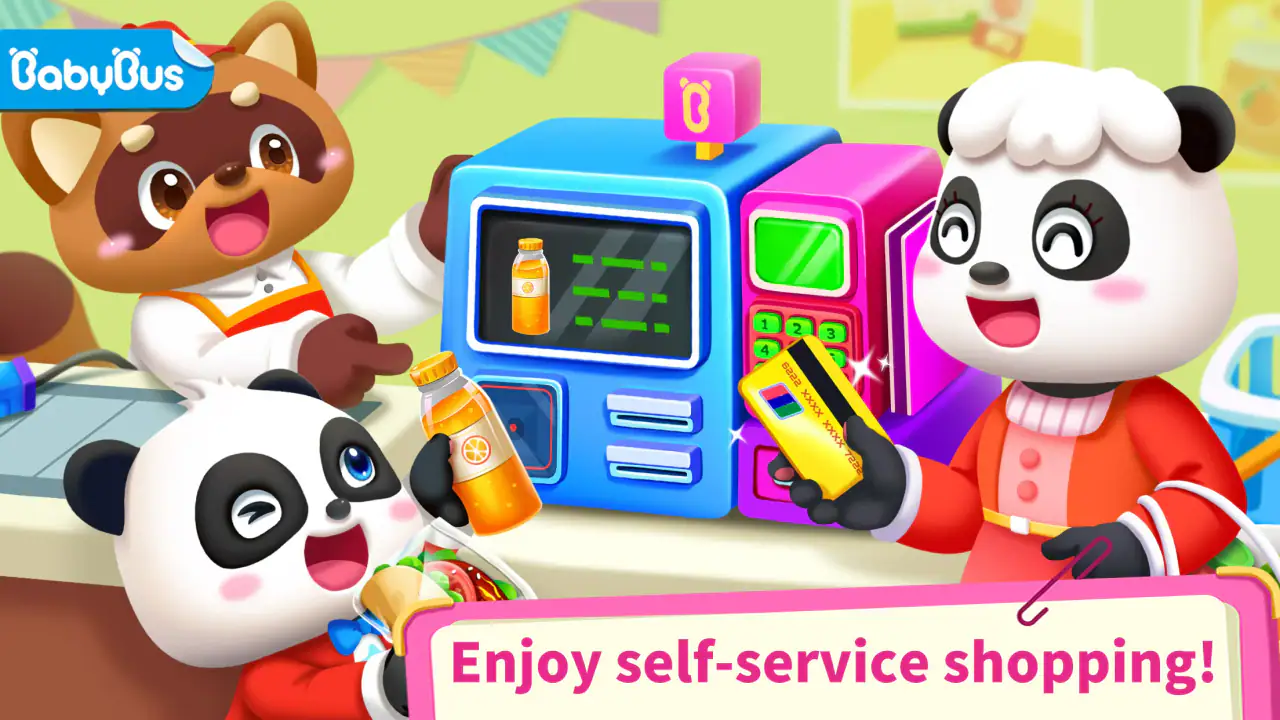
The central idea is role-play. A child can move through a supermarket-style setting, interact with products, and experience the basic rhythm of choosing items and paying for them. The cashier angle is especially valuable because it changes the child from a customer into someone responsible for completing a small task. That shift gives the play a little more purpose than simply tapping colorful objects.
In my experience, the strongest part is the immediate familiarity. Children already understand that a supermarket has shelves, products, baskets, and a checkout area, even if they cannot yet read confidently or handle real money. The game turns those everyday observations into something they can explore at their own pace. It works well as a conversation starter too: I can ask what belongs in a refrigerator, what someone might buy for breakfast, or why a cashier scans items.
The controls are designed for small hands and short attention spans. I would not approach it expecting complex rules, strategic planning, or a long progression system. Its appeal comes from quick interactions and pretend play. A child can spend a few minutes completing a small activity, put the device down, and return later without needing to remember a complicated story or control scheme.
Related News

Why WhatsApp Messenger Still Makes Everyday Communication Feel Easy

Jurassic World: The Game Is the Better Dino Tycoon for Strategic Players

Threads in Real Life: Who Should Join, Lurk, or Leave

How SHEIN Turned Shopping Into an Endless Content Feed

How to Make Fortnite Feel Smarter on Mobile

Should You Switch to Microsoft Outlook on Mobile?
That makes it a useful option for a waiting room, a quiet period before dinner, or a travel break. One realistic use is letting a preschooler play for a short stretch while an adult prepares a meal, then using the supermarket theme afterward to talk about the real ingredients being served. The game does not replace that conversation; it gives the conversation an easy starting point.
Why the cashier role matters more than it first appears
The checkout role creates small opportunities for sequencing. A child has to notice what is happening, respond to the next prompt or object, and finish the interaction before moving on. That is not the same as formal arithmetic practice, but it can support attention, recognition, and the idea that actions have an order.
I also like the social potential. Two children could take turns deciding what to buy and pretending to complete the purchase, while an adult can play the customer and ask the child to explain the choices. This turns a solitary phone activity into a simple shared game. The best results will come when the adult treats the app as a prop for play rather than handing over the device as an electronic babysitter.
Gallery
There is a useful trade-off here. The familiar supermarket setting makes the game accessible, but it also limits how surprising the experience feels. Children who enjoy open-ended pretend play may appreciate the theme and still want to invent their own stories beyond the available interactions. For them, a physical toy shop or a broader sandbox game may offer more freedom.
What the current release tells me about its place today
The current version is 8.73.43.00, and the game was first released on February 19, 2016. That long presence helps explain why it feels like an established children’s title rather than a newly tested concept. It has had time to remain visible to families looking for simple educational play, and its large install base shows that the basic format continues to attract users.
At the same time, I would separate longevity from depth. A long-running app can be dependable for its core idea without becoming a complete early-learning curriculum. This is still best understood as a themed activity game. Parents should not install it expecting structured lessons in reading, mathematics, nutrition, or money management. It may introduce related ideas through play, but it should sit alongside real-world learning rather than stand in for it.
The minimum operating-system requirement is Android 6.0, which makes the title accessible on many older Android devices. That can matter for families giving a child an older phone or tablet instead of a newer primary device. I would still test the game on the intended device before relying on it during a trip, because a compatible operating system does not guarantee that every older handset will feel equally comfortable for a child.
Changes and the effect on families already using it
For an existing player, the most important practical point is that the app is still being presented as a current release rather than an abandoned download. The version number gives families a clear reference when checking whether their installation is up to date. I would not assume that a newer version transforms the game into something fundamentally different, though. The verified release information supports continuity, not a promise of a complete redesign.
That continuity is actually helpful for young children. If a child already recognizes the supermarket setting, familiar interactions can make it easier to return after a break. Younger users often benefit from repetition, and a stable theme reduces the frustration that can come from constantly learning a new interface. Parents who have already introduced the game can keep using it as a short routine without needing to rebuild the child’s understanding from scratch.
There is a downside to that same stability. Older children may outgrow the experience once they understand the basic pattern. If a child is asking for more complex counting, reading, planning, or problem-solving, I would add a more advanced educational game instead of expecting this one to keep stretching with them. The supermarket theme is a good entry point, not necessarily a long-term learning path.
The title remains free to download, but it includes in-app purchases priced from $1.99 to $5.49 per item. That is important for parents who want a controlled, no-surprises setup. Before giving a child independent access, I would review the device’s purchase protections and make sure the child knows which areas are available without buying anything. The free entry point is convenient, but “free” does not mean every optional element is automatically outside the purchase flow.
Educational value without overstating what it teaches
I see the educational value mainly in context and interaction. Supermarket play can encourage children to name objects, group familiar items, recognize everyday routines, and practice following a sequence. It can also support language development when an adult asks open questions instead of simply watching the child tap through activities.
For example, I might ask a child to describe an item before selecting it, compare two products by color or shape, or explain what they would put in a shopping basket for a picnic. These prompts add learning that the screen alone cannot provide. They also reveal whether the child understands the scene or is only reacting to visual cues.
The cashier setting can be used for early number talk, but I would be careful not to call it a full math lesson. A child can practice counting objects or noticing quantities during play, yet real coins, paper notes, and a pretend shopping list offer a richer introduction to money and planning. If that is the main goal, a dedicated counting game or hands-on activity will probably be more effective.
One non-obvious strength is that the game can help a child rehearse a public routine in a low-pressure environment. A supermarket visit can be tiring or overwhelming, especially for a child who dislikes unfamiliar steps. Playing through a simplified version may make the sequence feel more predictable. I would use it as preparation for a real outing, then point out the differences: real stores have queues, changing prices, noise, and choices that are not controlled by the game.
Where the experience still feels limited
The biggest limitation is scope. This is a focused children’s game, not a broad educational platform. If a parent wants phonics, handwriting, detailed number exercises, or a measurable lesson plan, this is probably not the right primary tool. Its relaxed role-play approach is more attractive to a child who learns through imitation and conversation than to one who wants explicit challenges and visible academic progress.
Repetition may also become noticeable. The same supermarket premise that makes the game easy to understand can reduce its freshness over time. Some children will enjoy returning to familiar activities, while others will finish exploring and move on quickly. I would watch the child’s behavior rather than impose a fixed schedule: if the game has become automatic tapping with no curiosity, it has probably served its purpose for that session.
Another gap is the difference between digital shopping and real decision-making. A screen can present a simplified checkout experience, but it cannot teach a child how a family chooses within a budget, reads a label, waits politely, or carries a basket safely. Parents should avoid treating the game’s version of shopping as a complete model of the real activity.
The purchase system is another point that deserves adult attention. The individual prices are modest, but repeated optional purchases can still matter in a child-oriented app. I would keep purchasing under adult control, explain that tapping an appealing item does not mean it should be bought, and use the free portion first to decide whether the game is genuinely useful for that child.
Who will enjoy it, and who should choose something else
I would recommend it most readily to preschool and early-learning children who enjoy pretend play, familiar household routines, and bright interactive scenes. It is also a sensible candidate for families seeking a free starting point, provided an adult is comfortable checking the purchase settings. Children who are nervous about real shopping may benefit from practicing the basic idea before visiting a store.
It is less suitable for a child who needs a strong challenge, dislikes role-play, or becomes frustrated by repeated activities. I would also look elsewhere if the priority is independent learning with clear skill levels and progress tracking. A dedicated educational app focused on literacy or mathematics will usually be a better match for that purpose, while a physical pretend supermarket will be better for children who want unrestricted storytelling and shared play away from a screen.
Compared with ordinary puzzle games, this one offers more real-world context and less abstract problem-solving. Compared with video-based children’s entertainment, it asks for more active participation, even if the tasks remain simple. Compared with a full preschool curriculum app, it is narrower and more relaxed. That middle position is its identity: it is a small role-play experience with educational possibilities, not an all-in-one learning solution.
A practical way to use it at home
I would start by playing beside the child once, even if the controls look obvious. That first shared session shows which interactions are intuitive and which ones need explanation. It also gives the adult a chance to notice whether the child is interested in the shopping choices, the cashier role, or simply the animations.
After that, I would set a small purpose for each session. One day could focus on naming products, another on sorting items by where they belong at home, and another on pretending to prepare a meal. Keeping the goal conversational prevents the game from becoming a repetitive tapping exercise. It also makes the same digital activity useful for different ages within the early-learning range.
A particularly effective follow-up is to create a short paper shopping list after playing. The child can draw or copy a few familiar items, then look for them during a real grocery trip. This connects the screen to memory, language, and practical observation. It also exposes the limits of the game in a positive way: real shopping requires patience, attention to surroundings, and choices that cannot be completed with one tap.
I would keep sessions brief when the child starts losing focus. The app’s free availability can make it tempting to leave it open for long periods, but its value comes from engaged pretend play, not duration. A short session followed by discussion is more worthwhile than extended use with no interaction from the child or adult.
What parents should watch as the product continues
When deciding whether to keep using it, I would watch for three things: whether the child still chooses the activities willingly, whether the game encourages conversation, and whether optional purchases remain easy for the adult to control. Those practical signs matter more than the install figure or the average rating when judging fit for one particular family.
I would also pay attention to how well the current release works on the family’s device and whether familiar activities remain comfortable after updates. The version information confirms an active current build, but it does not by itself tell me how every future change will affect older hardware or established routines. Keeping the app updated is sensible, while checking it personally after an update is even better when a young child uses it.
My overall view is positive but measured. This is best used as a short, guided role-play activity, not as a substitute for real shopping or structured teaching. Its approachable supermarket setting, cashier perspective, and free entry make it easy to try, and the Everyone rating broadens its suitability for young families. The main compromises are limited depth, possible repetition, and in-app purchases that require sensible adult controls.
After using it, I would recommend Baby Panda's Supermarket to parents who want a gentle way to connect play with an everyday routine. I would skip it in favor of a more specialized learning tool when measurable academic practice is the priority. For the right child, though, it can turn an ordinary supermarket idea into a useful little conversation, a practice space for routines, and an enjoyable few minutes of independent play.
FAQs for Baby Panda's Supermarket
What age group is Baby Panda's Supermarket suitable for?
Baby Panda's Supermarket is designed primarily for children aged 3 to 6 years old. The app features colorful graphics and interactive gameplay that engage young children while helping them learn basic shopping concepts, improve their cognitive skills, and develop problem-solving abilities in a fun and educational environment.
Is Baby Panda's Supermarket safe for children to use?
Yes, Baby Panda's Supermarket is safe for children. It is specifically designed with child-friendly content and controls. The app does not contain inappropriate material and provides a secure environment for children to explore and learn. However, parental supervision is recommended to ensure a positive experience.
Does Baby Panda's Supermarket require an internet connection?
Baby Panda's Supermarket can be played offline, making it convenient for use without an internet connection. This offline accessibility ensures that children can enjoy the app anywhere and anytime, whether at home or on the go, without worrying about connectivity issues.
Are there any in-app purchases in Baby Panda's Supermarket?
Baby Panda's Supermarket may include in-app purchases to unlock additional content or features. While the core gameplay is free, parents should be aware of these optional purchases. It is advisable to set up parental controls to prevent unauthorized transactions and to manage spending within the app.
What educational benefits does Baby Panda's Supermarket offer?
Baby Panda's Supermarket provides several educational benefits, including teaching children about basic shopping tasks, money management, and item categorization. The app enhances cognitive development by encouraging decision-making and problem-solving skills. It also helps improve hand-eye coordination through interactive gameplay and engaging activities.
Pros
- Engaging graphics and animations.
- Wide variety of interactive tasks.
- Educational content for kids.
- User-friendly interface.
- Encourages creativity and role-play.
Cons
- May contain in-app purchases.
- Requires internet for some features.
- Limited replay value for older kids.
- Can be repetitive over time.
- Ads might interrupt gameplay.


